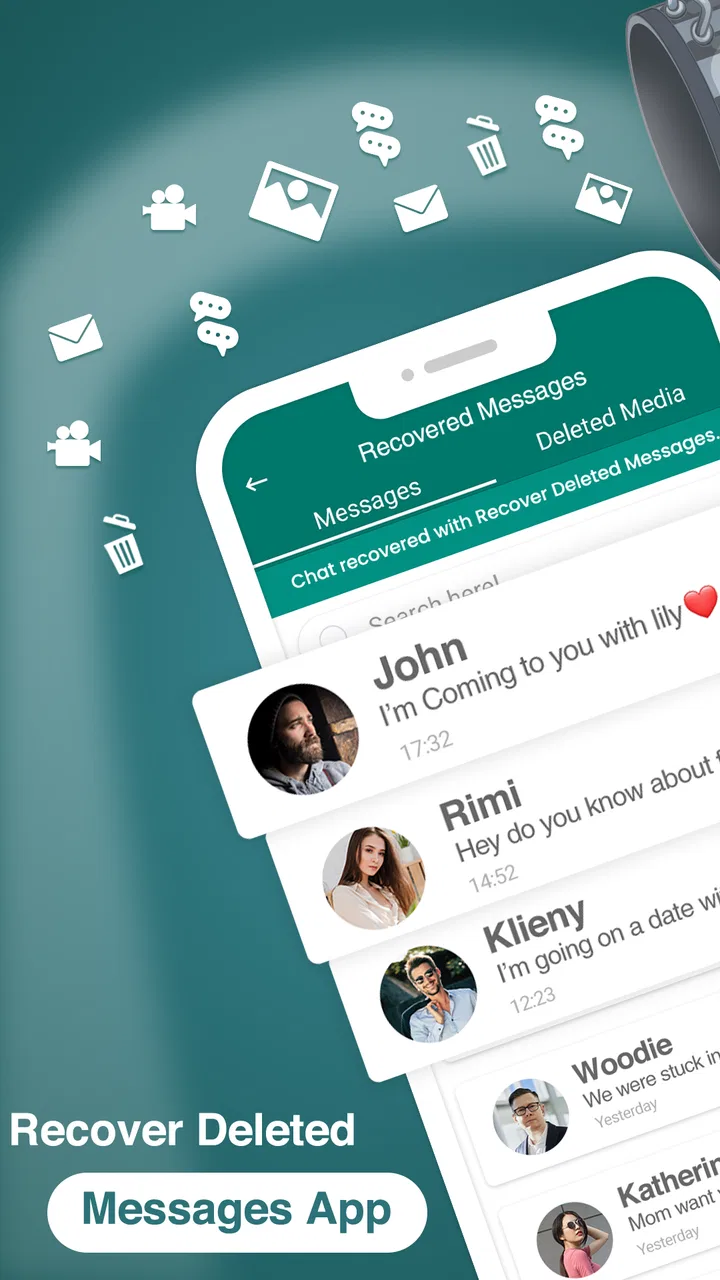
Recover Deleted Messages App
- 4.2
- Rating
- 10.00M
- Installs
- Free
- Price

 Analysis by App-foxy
I installed Recover Deleted Messages App expecting a focused communication utility, and that is exactly how it feels: a practical tool for trying to retrieve messages, media, and files that disappeared from popular messaging apps. It is free to install, made by Technoline Apps, and aimed at everyone rather than a specialist audience. My first impression was that it is most useful when treated as a recovery aid, not as a time machine that can guarantee every deleted item will return.
The app sits in a tricky part of mobile software. A messaging service controls the original conversation, while this utility depends on what remains visible or available on the phone. That distinction matters. If you are hoping to recover a message after an accidental deletion, the result may depend on timing, the type of content, and how the phone handled the notification or file. I found that setting realistic expectations makes the experience much less frustrating.
How Recover Deleted Messages App fits into everyday communication
The developer, Technoline Apps, has positioned this as a communication app rather than a general file manager or backup suite. Its store summary focuses on recovering deleted messages, media, and files from popular messaging apps, while the short description keeps the promise simple: “Recover Messages.” That narrow purpose is helpful because you can open it with one question in mind instead of sorting through a large collection of unrelated tools.
You May Also Like

 Blood Strike: 2.5 Anniversary
Blood Strike’s Loadouts Turn Every Drop Into a Tactical Gamble
A close look at Blood Strike’s custom loadouts: how fast access to signature weapons reshapes its battle royale rhythm, rewards preparation, and narrows the gap between fights.

 Pandora - Music & Podcasts
Pandora’s Music Is Easy to Start, but Harder to Recover
Pandora’s strength is its low-effort path from a seed to a station. Its weak spot is how much confidence it asks you to place in connection, setup, and quiet recovery.

 8 Ball Pool
 Is Built on Rivalries, Rematches, and Routine
A close look at the rivalries, rematches, shared routines, and unanswered safety questions that turn a quick pool match into a persistent mobile community.

 Samsung Music
’s Quiet Strength Is Playing What You Already Own
Its reach comes less from spectacle than from dependable access to a personal library. That simplicity is both the app’s strongest retention engine and its ceiling.

 AccuWeather: Weather Radar
AccuWeather Review: A Quick, Clear Forecast for Everyday Decisions
For everyday plans, the best forecast is the one you can understand quickly. AccuWeather makes rain timing, radar, and local conditions easy to act on, with a few trade-offs.

 Hill Climb Racing
Why Hill Climb Racing Still Turns Crashes Into One More Run
A tiny car, a bumpy hill and one more upgrade: Hill Climb Racing keeps resurfacing because its simple chaos makes every near-miss feel personal.
More From Our News Desk



The app has reached over 10 million installs and holds a 4.4 average from around 100 thousand ratings, which suggests that the idea resonates with a large number of Android users. It is available at no upfront cost, although optional purchases range from $6.99 to $49.99 per item. I would treat the free entry point as a chance to understand the workflow before spending anything, especially because recovery results can vary from one conversation to another.
It runs on Android 7.0 and later, and the current version is 915.7. That broad system compatibility is useful if you keep an older phone as a secondary device or do not upgrade every year. The age rating is Everyone, so the interface is intended for ordinary household use rather than a mature or technical audience.
Why the network still matters even when the problem is on the phone
Connectivity shapes this kind of app in less obvious ways. The original messages normally belong to an online messaging service, and the recovery process may involve content that was delivered through that service, stored by the phone, or represented through notifications. A weak connection can make the surrounding messaging experience feel incomplete, but a strong connection cannot magically recreate content that was never retained locally.
I would therefore use the app soon after noticing a deletion, while the phone is still in the same state. Avoid repeatedly clearing notifications, cleaning temporary files, or running aggressive storage tools before checking what can be recovered. Those ordinary maintenance habits may be good for freeing space, but they can also remove traces that a recovery workflow might need.
This is also why I would not judge the app solely by whether it restores an entire conversation. A recovered image, document, or short message can still be valuable even if the surrounding thread remains unavailable. In practical use, recovery is often partial rather than all-or-nothing, and the app makes more sense when you evaluate the specific item you need.
Useful mobile situations beyond the obvious emergency
The clearest scenario is a group chat where someone deletes an important instruction shortly after sending it. Perhaps the message contained a meeting location, a delivery detail, or a file needed for the day. Instead of asking everyone to resend the information, I would check the recovery app early, then compare anything it finds with the surrounding conversation before acting on it.
Another realistic case involves media. A family member may send a photograph and remove it before you open the chat, or a colleague may delete a document after realizing it was sent to the wrong person. Recovering the item can be more useful than restoring the entire text exchange. This is one of the app’s stronger practical angles: conversations are often disposable, but a single attachment may be the part that matters.
It can also help when switching attention between apps. On a busy day, I may see a notification, postpone opening it, and later discover that the sender removed the message. A recovery-focused tool gives me somewhere to investigate instead of relying entirely on memory. That does not make it a replacement for careful backups, but it can reduce the damage caused by missed notifications.
There is a trade-off here. The more messaging apps, chats, and media folders you use, the harder it becomes to identify what belongs to the missing item. I recommend starting with the newest and most important conversation rather than scanning everything. A narrow search is faster, easier on storage, and less likely to produce a confusing collection of unrelated remnants.
What happens when recovery does not work
The biggest limitation is the boundary between recovery and restoration. If the messaging service has removed the content and the phone has no remaining representation of it, an app cannot simply reconstruct the original. This is especially important for users who expect a deleted message to reappear exactly as it looked, with its original time, sender context, and attached files.
I also would not assume that every type of media behaves alike. Text, images, voice clips, and documents can follow different storage paths, and a file may be present while its message caption is gone, or the other way around. When the app finds something, check whether it is complete and whether it clearly belongs to the conversation you remember. A similarly named file is not automatically the correct one.
Timing is another practical factor. If you continue using the phone heavily after the deletion, new activity can make the original trace harder to identify. Downloading large files, clearing app data, changing notification settings, or moving content between storage locations may add confusion. My advice is simple: pause unnecessary cleanup, open the recovery tool, and work methodically.
When it fails, the usual alternatives may be better. The messaging app’s own backup or export tools are more appropriate when you need a dependable copy of a whole conversation. A direct resend from the original sender is usually safer for important documents. Device-level backups are better for planned protection, while this app is better suited to an unexpected, single-item problem.
A careful workflow for messages, files, and media
I would begin by identifying exactly what disappeared: a text, a picture, a video, a voice message, or a document. Then I would note the approximate conversation and time. That small amount of preparation prevents a common mistake—assuming that any recovered-looking item is the one you need.
Open the app soon after the deletion and focus on the relevant messaging context.
Review recovered results individually instead of treating the first match as definitive.
Check media and files separately from message text, since one may remain when another does not.
Save or share only the item you genuinely need, and verify it before relying on it.
For important information, ask the sender or use the messaging service’s normal backup options as a second confirmation.
This workflow highlights a non-obvious strength: the app is most valuable as an investigation tool. It helps you find out whether useful traces remain, rather than promising a complete archive. That distinction makes it easier to decide when to stop searching and use a more reliable source.
Data-conscious use on a personal phone
Because this app deals with communication content, I would be selective about what I expose to it. Messages and attachments can contain private conversations, work documents, addresses, or family photographs. Even when the goal is harmless, recovery tools deserve the same caution as any app that handles personal material.
Before using it, I would close unrelated conversations, avoid recovering more than necessary, and remove any temporary copies that I no longer need. I would also be careful when sharing a recovered file: the easiest mistake is to send a private attachment to the wrong chat because the urgency of the recovery has taken over.
Connectivity adds another layer of awareness. If the app presents any step that depends on an active connection, I would prefer a trusted network rather than an unknown public hotspot. I would not use mobile data casually for a large media search either, particularly when the phone is already close to its monthly limit. A focused recovery attempt is more sensible than repeatedly refreshing broad results.
The optional purchase model deserves attention as well. Since the app is free to start but includes in-app items priced from $6.99 to $49.99 each, I would not pay simply because a message is emotionally important. First confirm that the app can identify the relevant type of content and that the result is useful. If a purchase is offered, read what it unlocks and consider whether the same information can be obtained from the sender, a backup, or the original messaging app.
This is where the app differs from ordinary communication utilities. A messaging app is designed to send and receive content; a backup tool is designed to preserve it; this recovery app addresses the awkward space between those two jobs. That makes it convenient in an emergency, but less suitable as the foundation of a long-term data-protection plan.
Who will appreciate it, and who should skip it
I think it is a good fit for Android users who occasionally lose a message or attachment and want a straightforward place to investigate. It is particularly relevant if you often receive important media through popular messaging apps, delay opening notifications, or need to check whether a deleted item left any usable trace on the phone.
It is also approachable for people who are not comfortable with manual file browsing. The Everyone rating and broad Android support make it less intimidating than a technical desktop recovery process. If you need a quick first attempt before asking someone to resend a file, the free installation lowers the barrier to trying it.
I would skip it as a primary solution if your priority is guaranteed restoration of complete chat histories. In that situation, the messaging service’s backup features, a regular device backup, or a deliberate export routine is the better choice. I would also avoid depending on it for legal, business, or safety-critical records. A recovery result should be treated as helpful evidence, not as a substitute for an original, verified archive.
Users who are highly protective of private conversations should think carefully before installing any recovery utility at all. The convenience may not justify the extra handling of sensitive content. For them, prevention—keeping important files in a controlled backup and asking senders to resend critical information—may be the more comfortable approach.
My connectivity verdict
After using it as a focused recovery aid, I see Recover Deleted Messages App as a useful second chance rather than a guaranteed restore button. Its value is highest in the first moments after an accidental deletion, when you know the conversation, understand what went missing, and can check results carefully. It is less convincing when the goal is to rebuild an entire history or protect information before anything goes wrong.
The app’s communication focus, free starting point, compatibility with Android 7.0 and later, and large user base make it easy to consider. Technoline Apps has kept the central idea clear, but the practical outcome still depends on what the phone and messaging service have retained. That is not a flaw unique to this app; it is the basic limitation of trying to recover content after the original message has been removed.
My recommendation is to try it for a specific, recent problem, keep the search narrow, and verify every recovered item. Do not clear storage first, do not assume that a restored file proves the whole conversation is available, and do not pay before you understand the result. For occasional message emergencies, it can be worth having available. For dependable protection, pair that emergency option with ordinary backups and direct confirmation from the sender.
In short, this is a sensible app for checking whether a deleted message, photograph, or document can still be found on an Android phone. Use it as a careful recovery attempt, not as a replacement for backups. That expectation matches its strongest use case and leads to a much more honest experience.
FAQs for Recover Deleted Messages App
01How does the Recover Deleted Messages app work?
The Recover Deleted Messages app scans your device to retrieve deleted messages from various messaging platforms. It accesses temporary storage and cache files where remnants of deleted messages may reside. The app then reconstructs these messages, allowing you to view and save them back to your device.
02Is the Recover Deleted Messages app safe to use?
Yes, the app is designed with user security in mind. It uses read-only access to retrieve deleted messages, ensuring that no data is altered or compromised on your device. Additionally, the app does not store or share your retrieved messages externally, maintaining your privacy.
03Can the app recover messages from all messaging platforms?
The app supports recovery for most popular messaging platforms, including WhatsApp, Facebook Messenger, and SMS. However, recovery success can vary based on the platform and how long ago the messages were deleted. It’s always best to check the app's compatibility list for specific platforms.
04Do I need to root or jailbreak my device to use the app?
No, there is no need to root an Android device or jailbreak an iOS device to use the Recover Deleted Messages app. The app functions effectively on standard, unmodified operating systems, ensuring easy and safe recovery of your messages without altering your device's settings.
05What are the limitations of the Recover Deleted Messages app?
While the app is powerful, it has certain limitations. It may not recover messages that have been deleted long ago if the device's storage has been overwritten. Additionally, some encrypted messaging services may limit the app’s ability to fully retrieve message content due to security protocols.
Pros
- Recovers messages efficiently across multiple apps.
- Easy-to-use interface for seamless navigation.
- Supports media recovery like photos and videos.
- No root access needed for most features.
- Regular updates improve performance and features.
Cons
- Limited free version with in-app purchases.
- Some messages may not be recoverable.
- Occasional ads interrupt user experience.
- Requires permissions that some users may find intrusive.
- Not all app features are available on iOS.

Recover Deleted Messages App
Gallery